
Receiver pays
When you have agreed with the receiver of a shipment, your B2B customer, that they are paying for freight and taxes, there are a few different ways to set it up, depending on carrier, agreements and routes. In all setups, the receiver's customer number/agreement with the carrier is needed.
Add the receiver's agreement to the Partner Agreements list
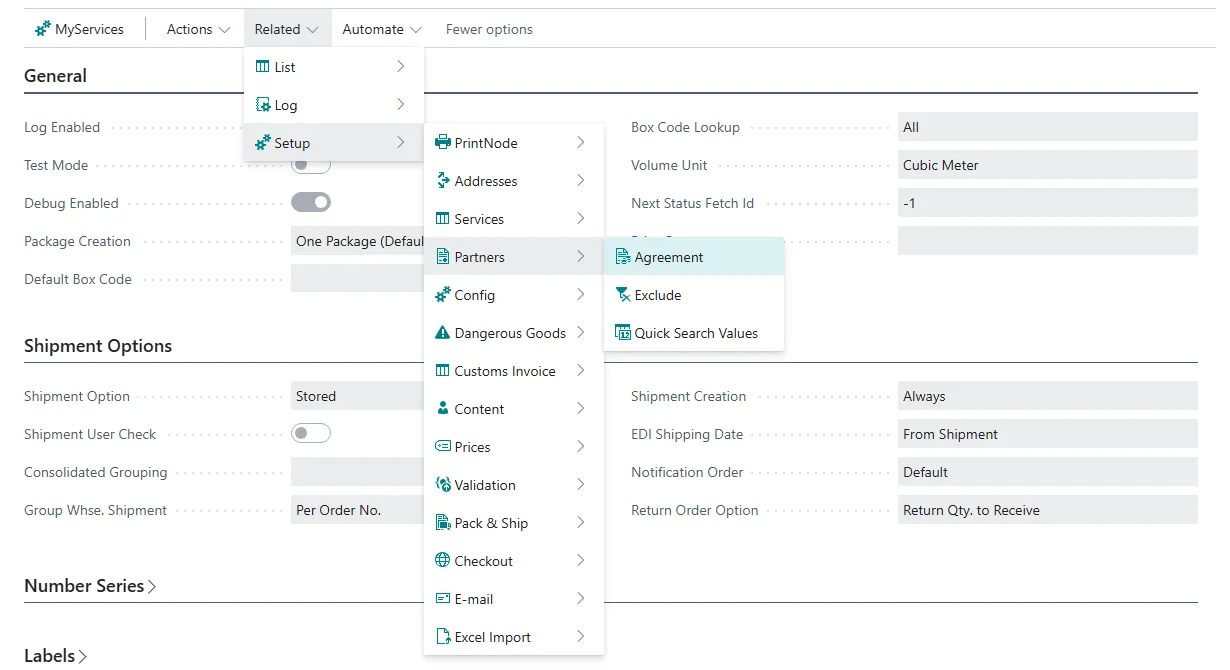
Your customers' agreement numbers with the carriers are kept in a single list, Partner Agreements. Open it from the Shipping Central Setup page under Related / Setup / Partners / Agreement.
Add one line per customer and carrier: the customer number in Partner No., the carrier in Carrier Code and the customer's carrier agreement number in Agreement No. If you leave Carrier Service Code blank, the line applies to all carrier services of the carrier. If you fill in a carrier service code, the line applies only to that service and takes precedence over the line without a service code.

The agreement number is then used on shipments to the customer in the ways described below. Which one applies depends on the carrier.
Use the receiver's carrier agreement number as the sender's carrier agreement number
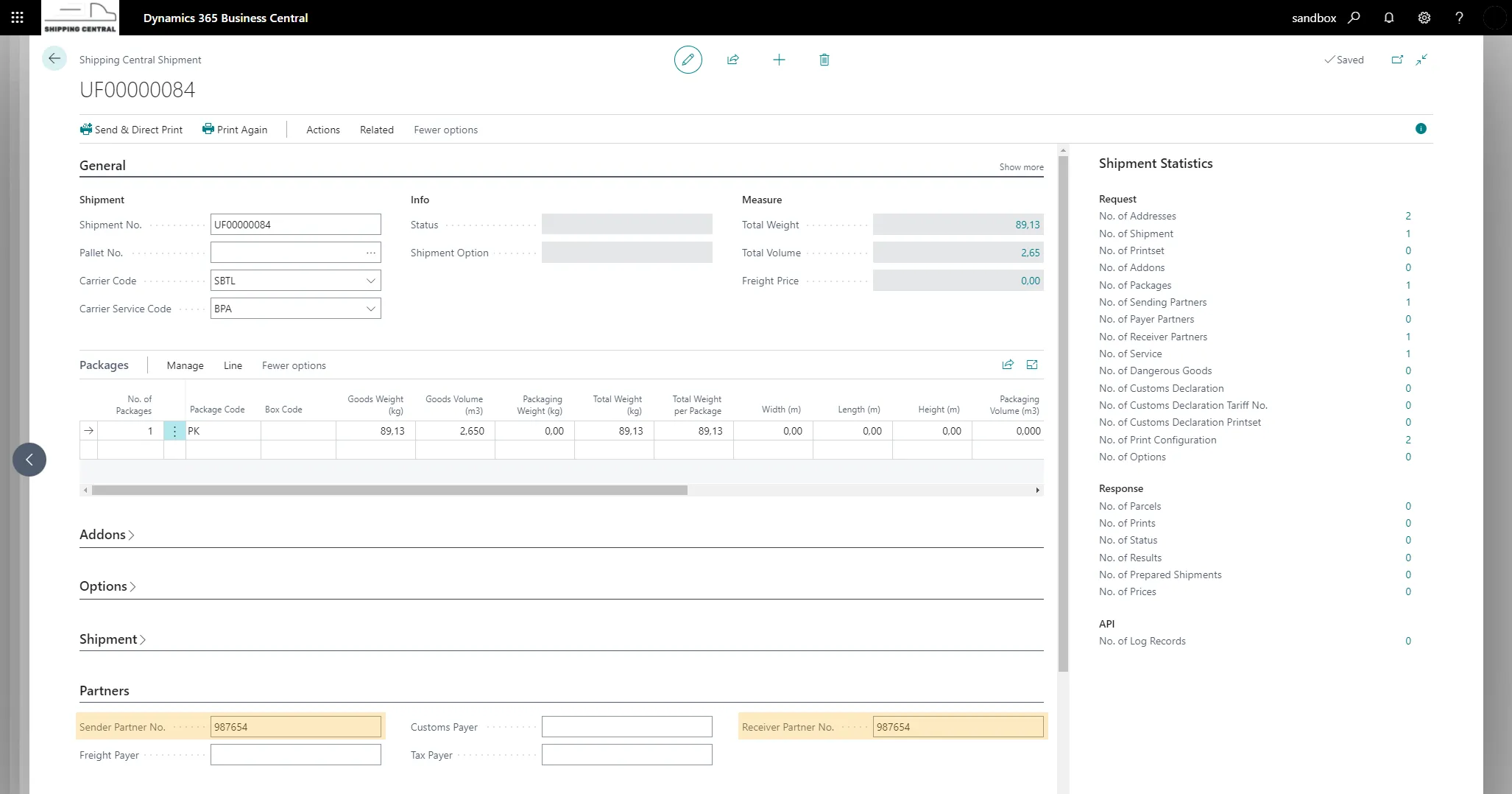
When the customer has a line in the Partner Agreements list, the customer's agreement number with the carrier is used instead of your own as the sender's agreement number on shipments to the customer. This happens automatically; there is no check box to select.
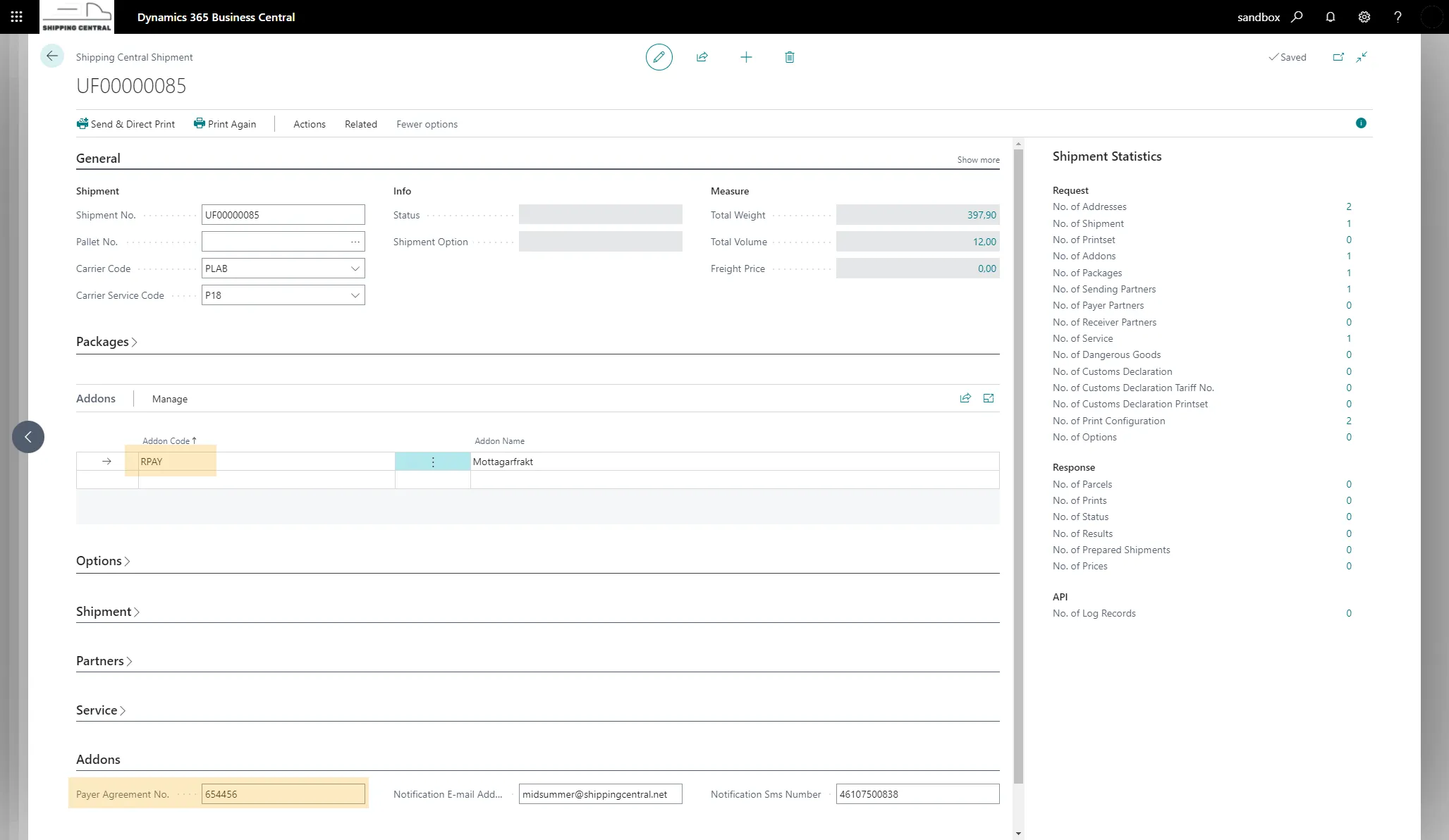
Addons (RPAY and OPAY)
This setup, used by some carriers (e.g. FedEx, PostNord ...), uses an addon to the carrier service to define who pays the freight. The two addons RPAY (receiver pays) and OPAY (other payer) are added to the shipment either by default (always when the service is used) or per shipment where it is to be used.
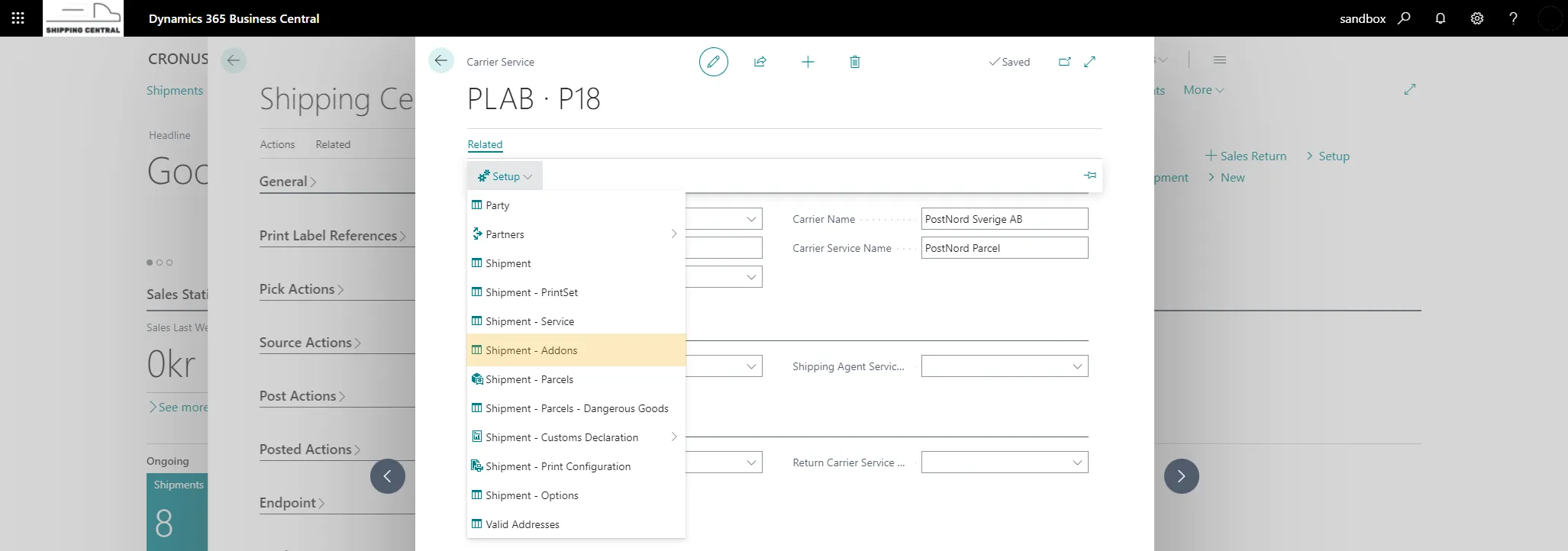
To activate an addon by default, open Shipment - Addons from the carrier service, which you find under Related / Setup.
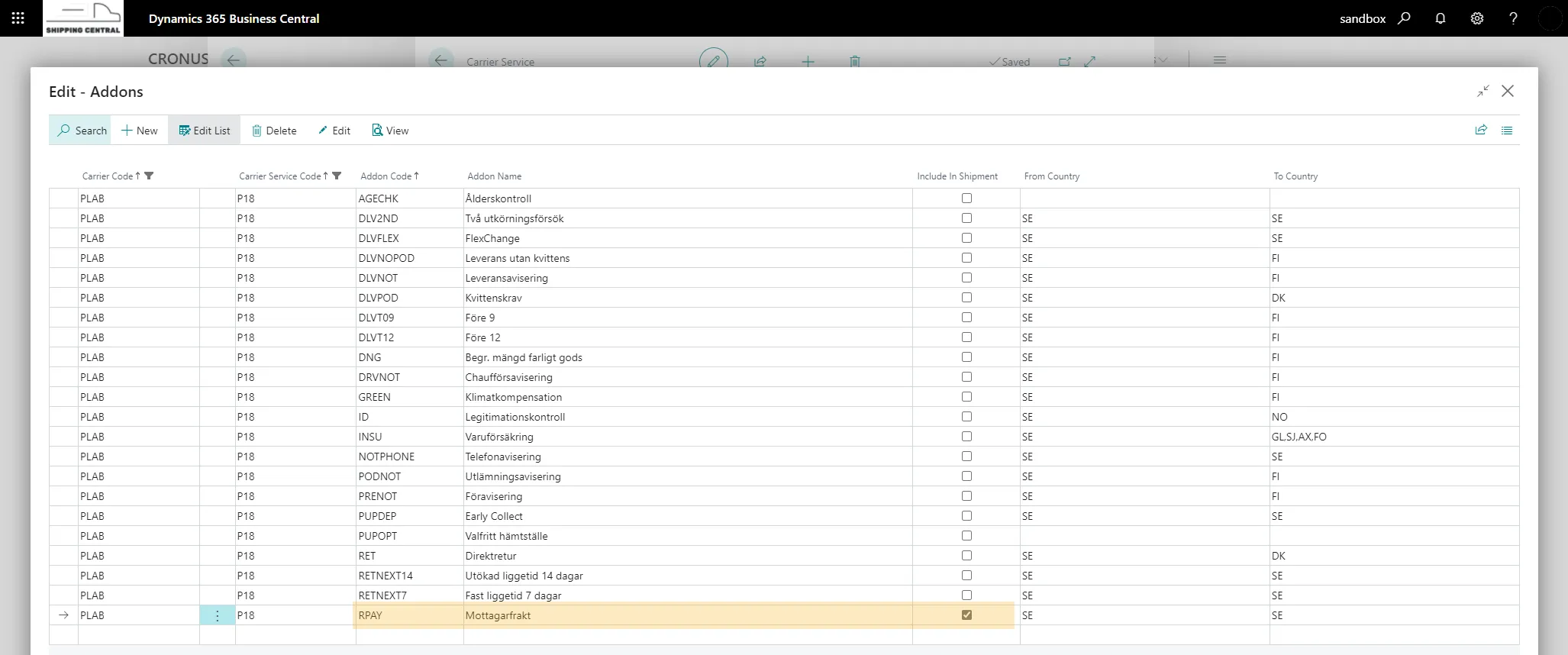
Select Include In Shipment for the RPAY addon in the addon list. RPAY will now be added to all shipments with this carrier service.
When RPAY or OPAY is used on a shipment to the customer, the payer agreement number is taken from the customer's line in the Partner Agreements list.
Tax payer, freight payer and customs payer on shipments
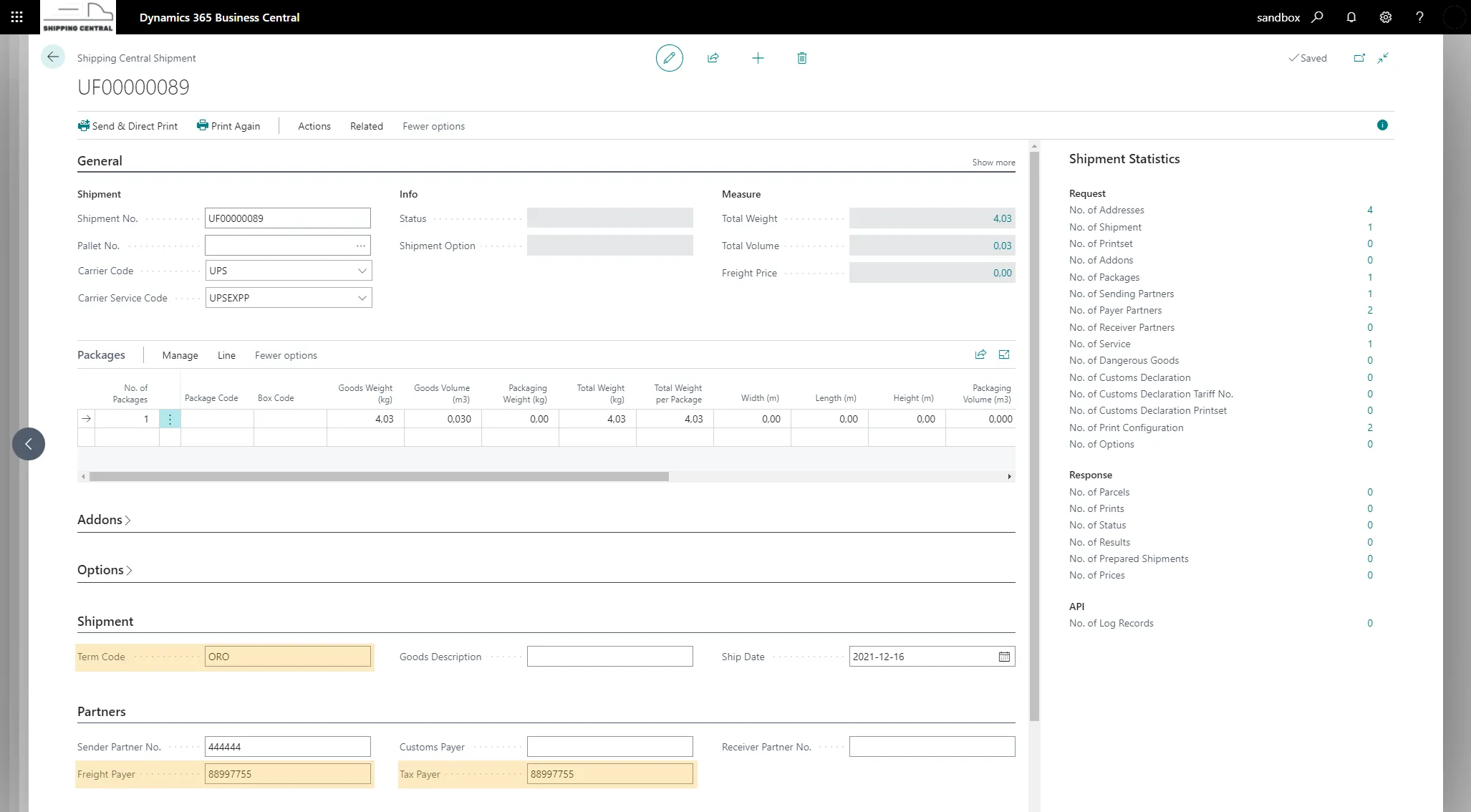
This setup (used e.g. with UPS) specifies the agreement numbers to be used for the freight payer, customs payer and tax payer.
In the term code mapping, your shipment method codes are mapped to the carriers' codes, and this is also where we set which payers (freight, tax and customs) are needed for the carrier service.
Open the Term Codes list from the Shipping Central Setup page under Related / Setup / Config / Term Codes.
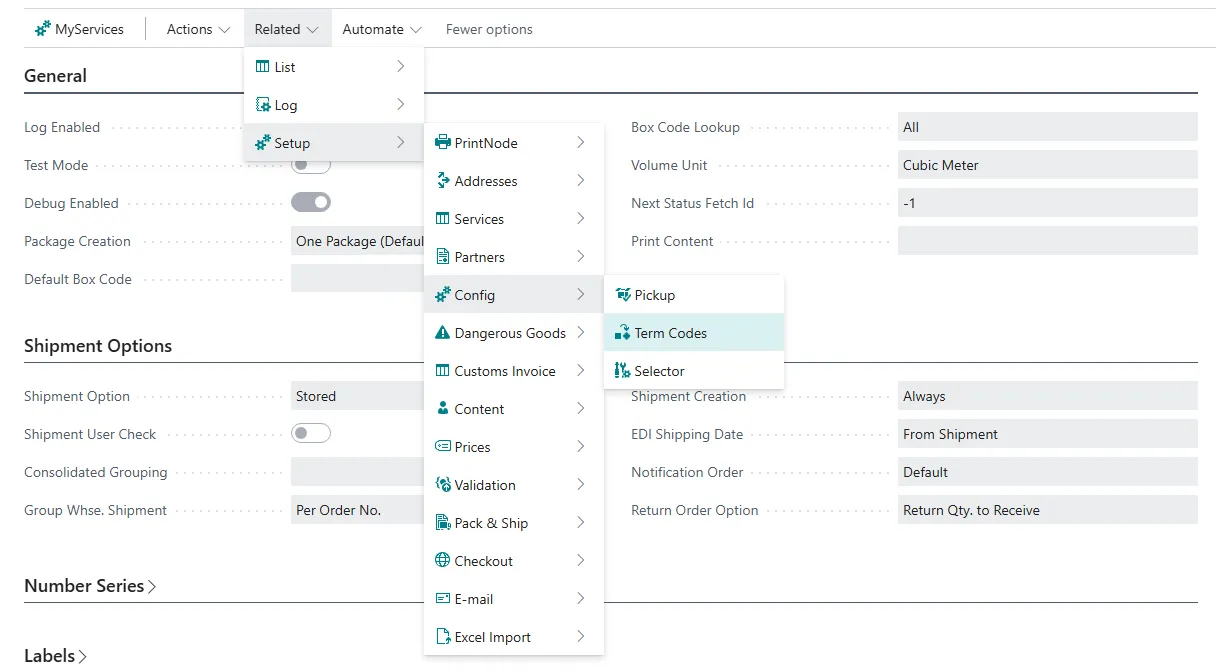
In the Term Codes list, add the carrier, the carrier service, your shipment method code and the term code that corresponds to your shipment method code. In the list you also select whether freight payer, tax payer or customs payer is used for the term code.

The payers' agreement numbers are taken from the Partner Agreements list: first from the line for the bill-to customer (Bill-to Customer No.), otherwise from the line for the customer the shipment goes to. A line without a partner number serves as a fallback for all customers of the carrier.
If freight, tax and customs are to be paid with different agreement numbers, you can show the Freight Payer, Tax Payer and Customs Payer columns in the Partner Agreements list with Personalize and fill in a number per payer. If such a column is left blank, Agreement No. is used.
With this setup, the payer agreement number is given to the specified payer for the term code on a shipment.
Agreements from earlier versions
Previously, the agreements were kept in the Customer Agreements, Payer Agreements and Addon Payer Agreement lists under Related / Setup / Addresses. When Shipping Central was upgraded, they were moved to the Partner Agreements list, and the old lists are no longer shown.