
How to add carrier agreement number
To send a shipment with a carrier you need to be a customer of theirs. With some carriers you become a customer on their website, with others you need to contact them. In this post we assume that you are a customer of a carrier and have an agreement number that you can add to the carrier setting in Shipping Central.
When you set up Shipping Central by running the setup wizard you can add carrier agreement numbers, but if you did not have them available, or if you add more carriers, this is the way to add or update your agreement number to a carrier setting.
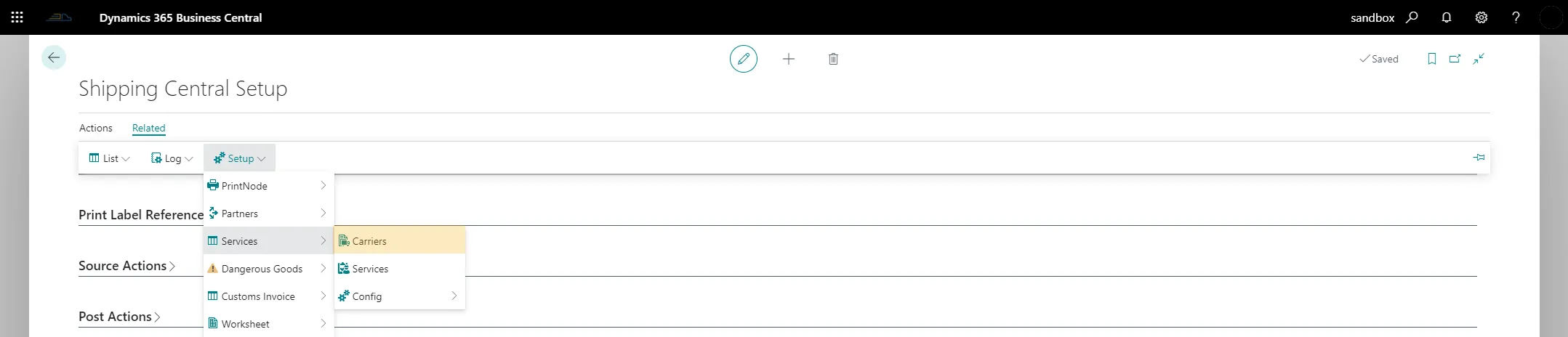
Open the list of carriers from the Shipping Central Setup page under Related / Setup / Services / Carriers.
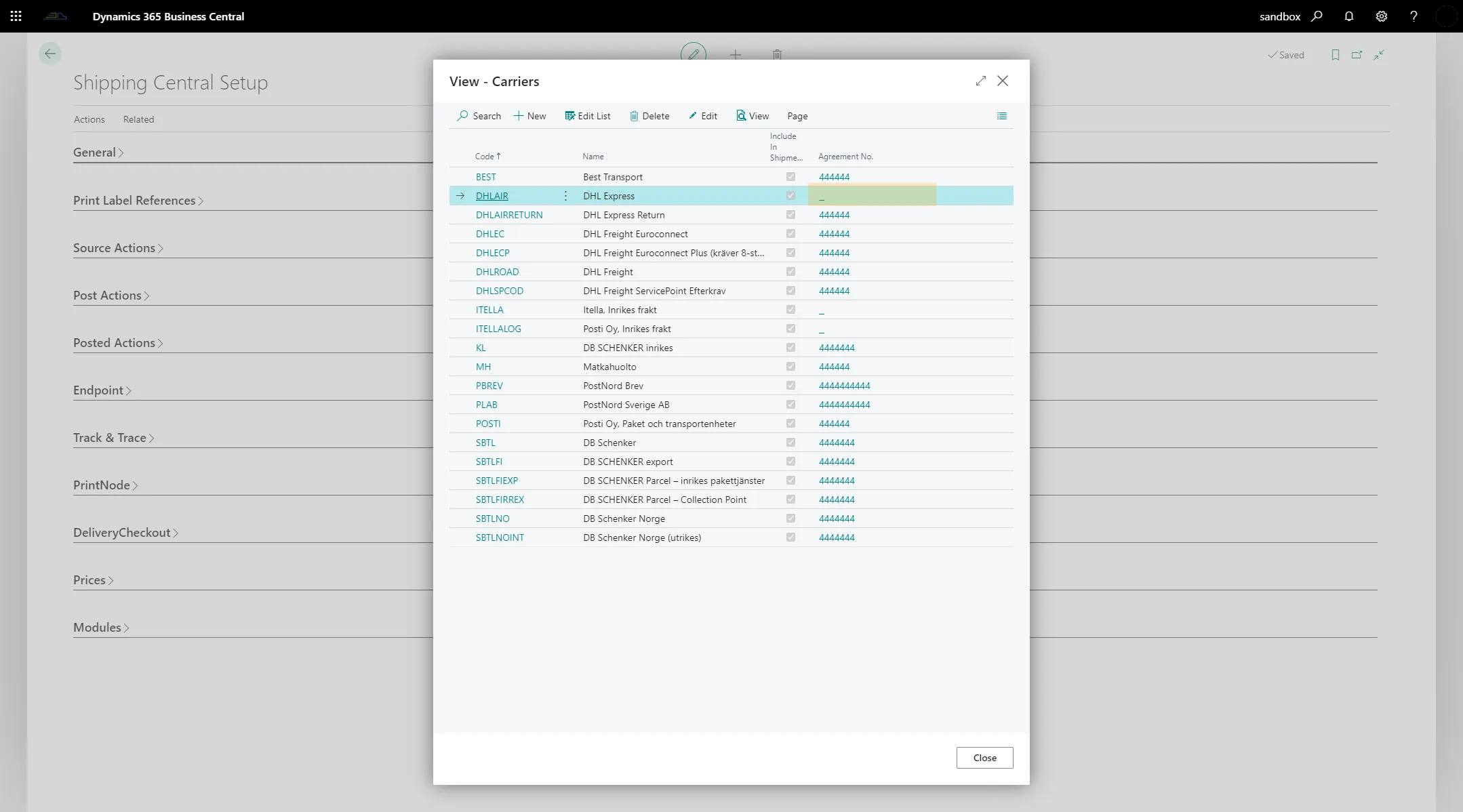
In the list of carriers, click in the Agreement No. column for the carrier where you want to add or change the agreement number. This opens the edit list for the carrier.
Add your carrier agreement number on the custNo line and close the page.

Your agreement number has now been added to the carrier.

Use the same method to change the agreement number for a carrier.