Find your nShift Delivery API key
When connecting Business Central to nShift Delivery you need your nShift Delivery API key. How to connect Business Central to nShift Delivery is described in Onboarding Wizard.
If you sign up for a new nShift Delivery account, the API key is added to Shipping Central automatically. If you use your existing account, this post describes how to create a key for Shipping Central.
Go to the nShift Delivery portal and log in with your account number and password.

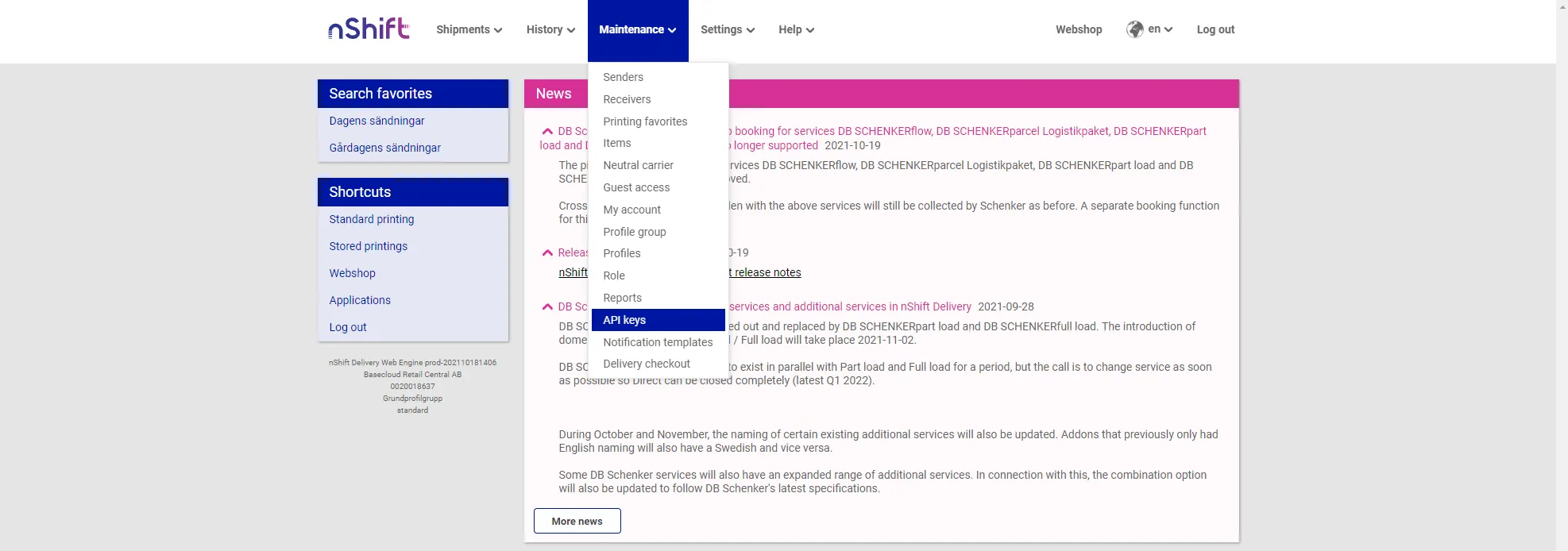
Click Maintenance and API keys in the portal.
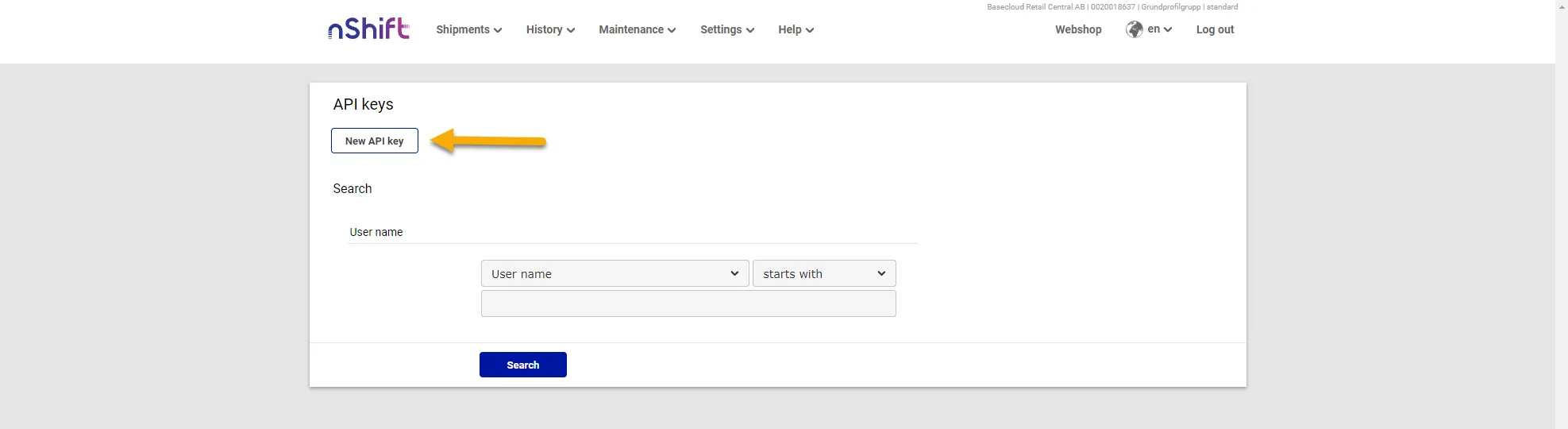
Press the New API key button.
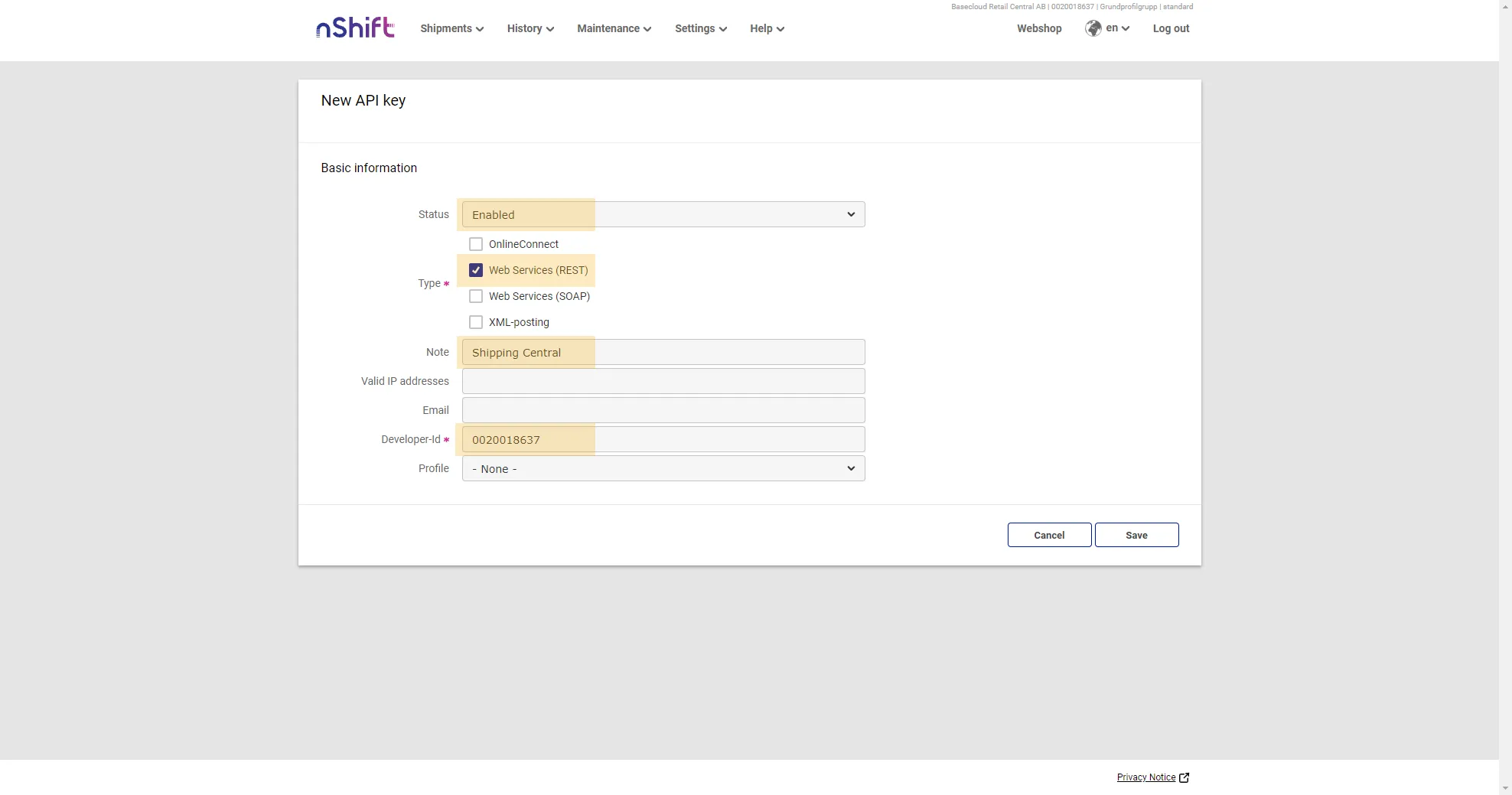
In the form, make sure that Status is active. Check the Web Services (REST) box, add Shipping Central as a note and enter 0020018637 in Developer ID. When you are done, press Save.
The new key is now saved and you return to the API key page.
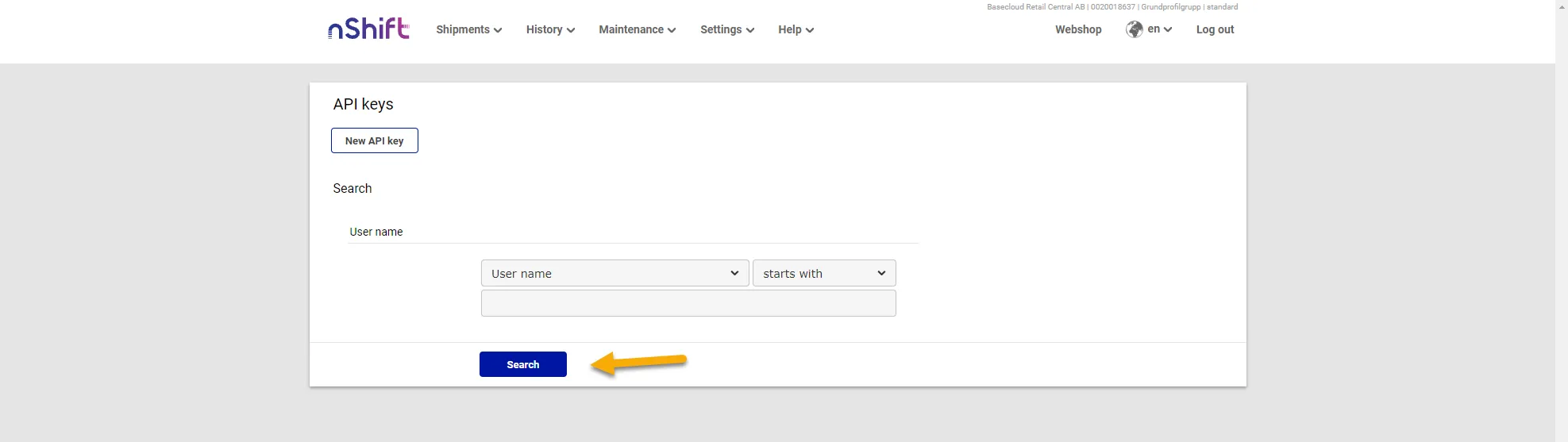
To find your newly created key, and also whenever you need to go back to find your key, press Search to show your API keys.
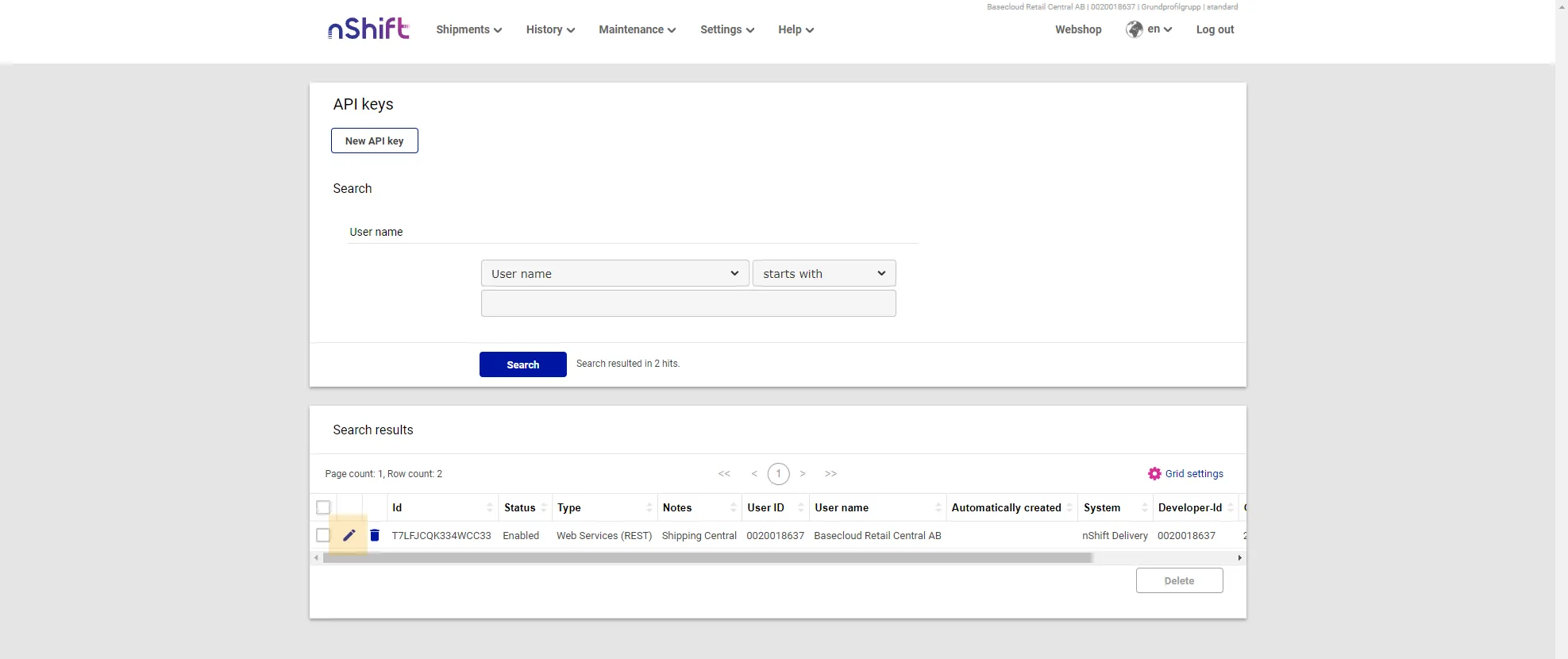
The keys for your account are listed. To get the API key needed for the Shipping Central setup, press the pencil icon.
The API key is called Combined ID.
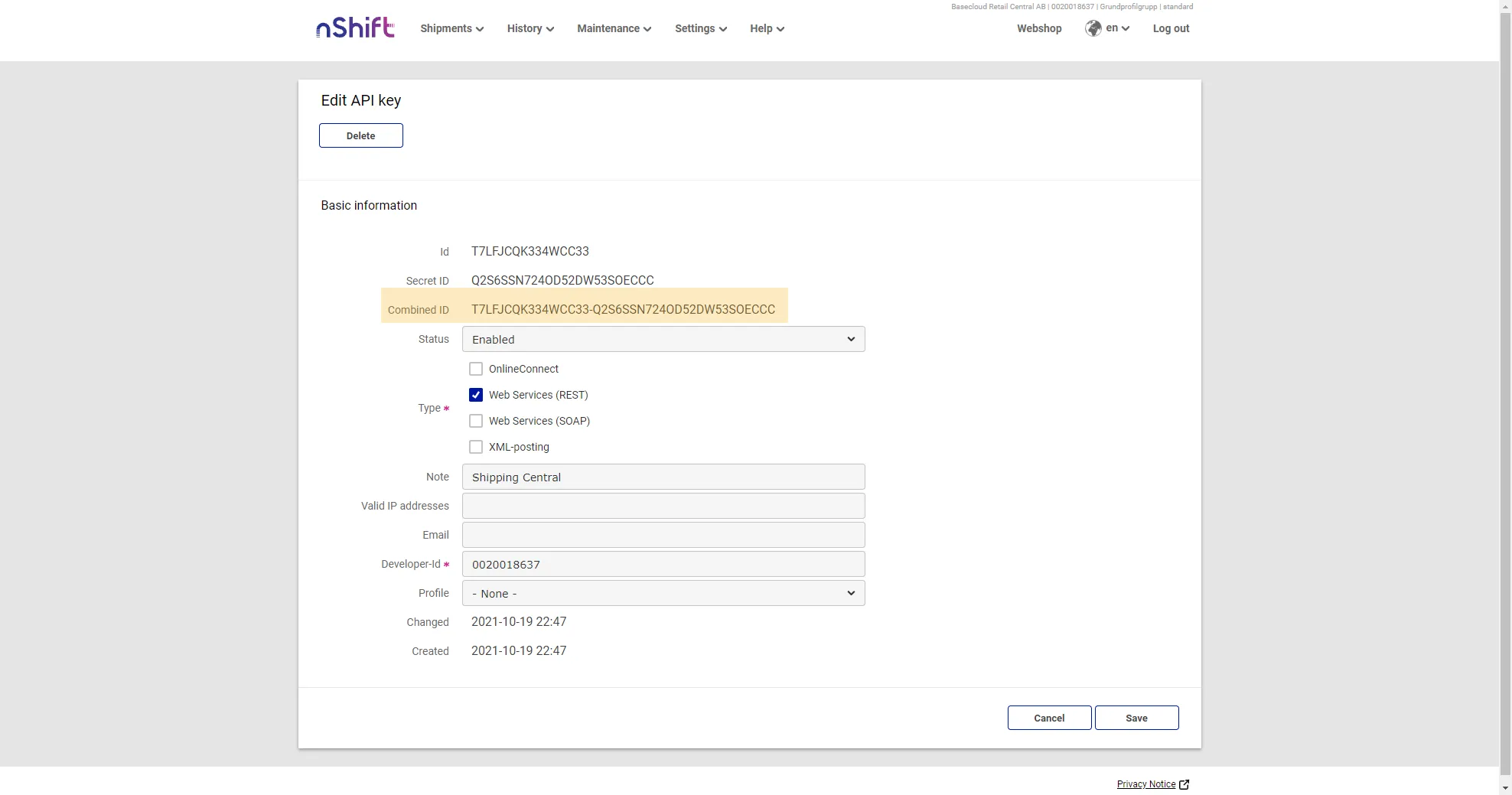
Copy the API key and use it in the next setup step, Onboarding Wizard.