Predefined boxes
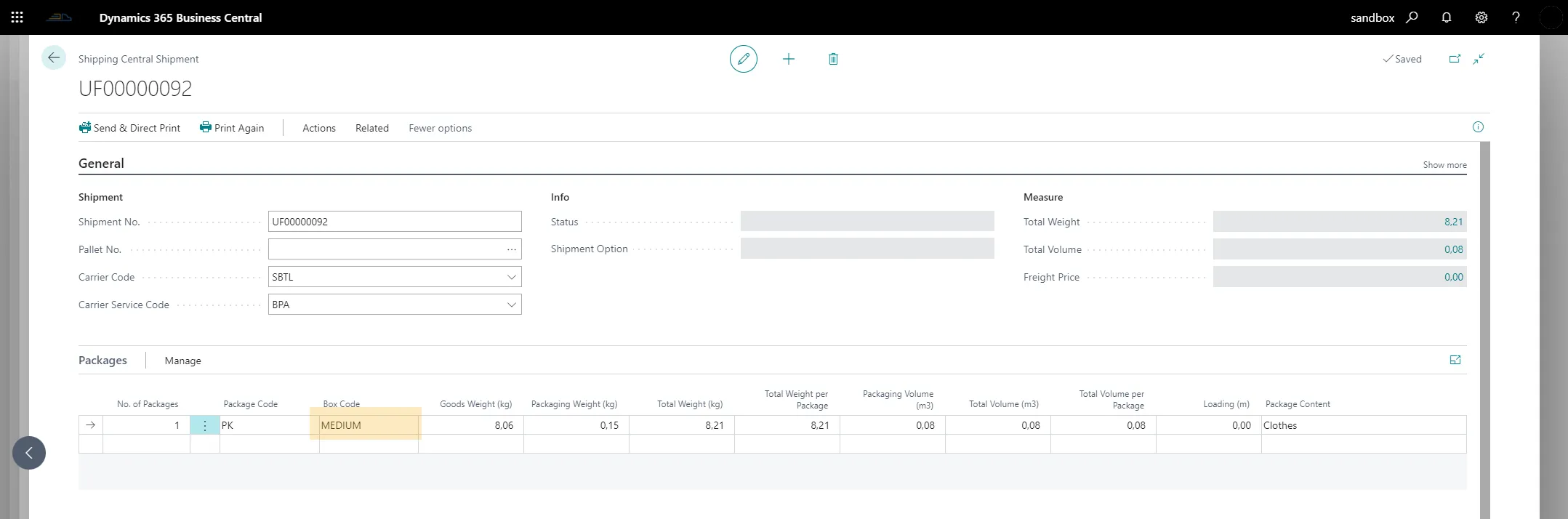
When sending shipments you often need to specify the dimensions and weight of the parcels to be sent. This is entered on the shipment package line in Shipping Central. If you use a set of different boxes when packing and sending goods, you can set these up as Predefined Boxes and add measurements to the box. When shipping, just choose a predefined box and the measurements are taken from the setup of the predefined box, thus saving time when shipping.
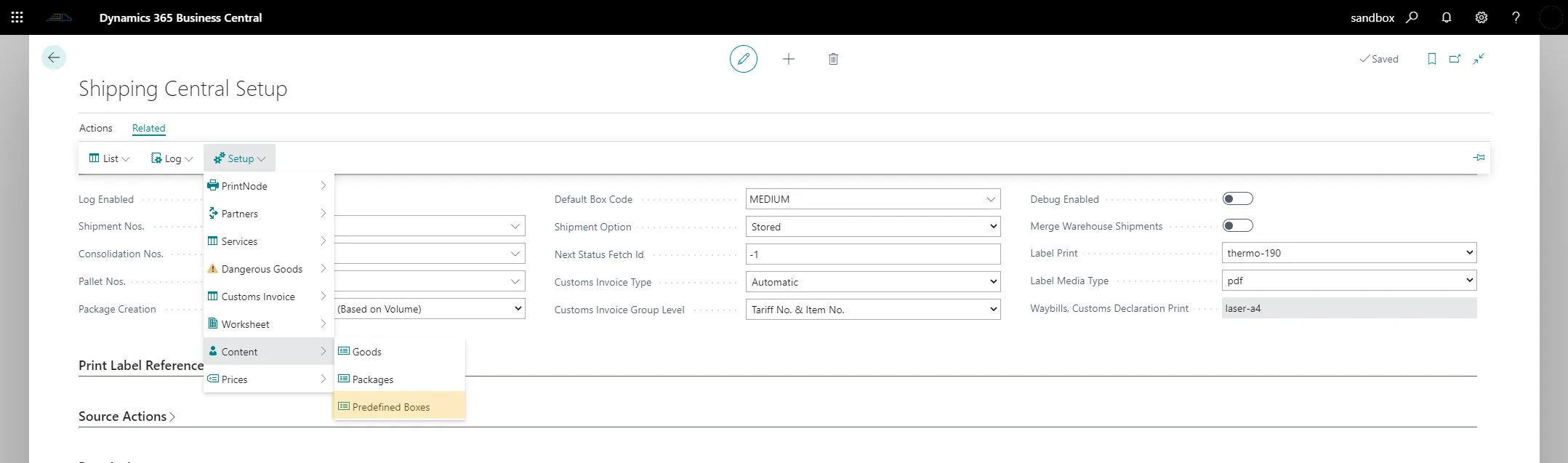
To work with boxes, open the Predefined Boxes list from the Shipping Central Setup page under Related / Setup / Content / Predefined Boxes.
Add your boxes with their measurements to the list. The weight is the box's own weight. The volume is calculated by the system when you add the box's measurements.

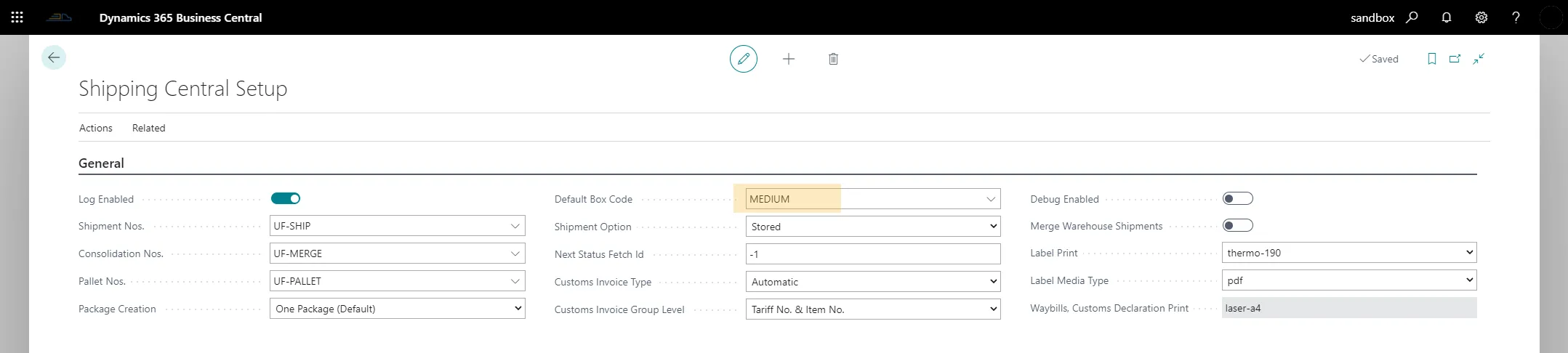
You can set up a default box that will be used for all shipments unless it is changed manually. The default box is set in the Default Box Code field on the Shipping Central Setup page.
When shipping with direct print after a posting action (without opening the shipping page), the default box is used. When the shipping page is opened, the default box is set on the package lines and can be changed by choosing any of the other predefined boxes.