Add Price Review to nShift account
Using the Freight Price module in Shipping Central you can get the price for a shipment from the carrier. To use this function, Price Review must be added in the nShift Delivery portal. Here we show how to add it.
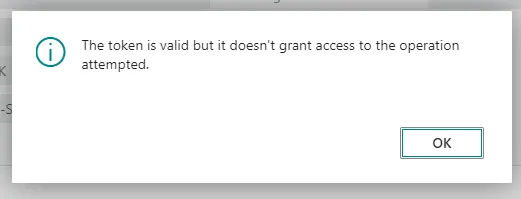
How do you know if you have already added Price Review? You can log in to the nShift portal and check. If you get this message when you try to use the Freight Price module in Shipping Central, you know that it has not been added yet.
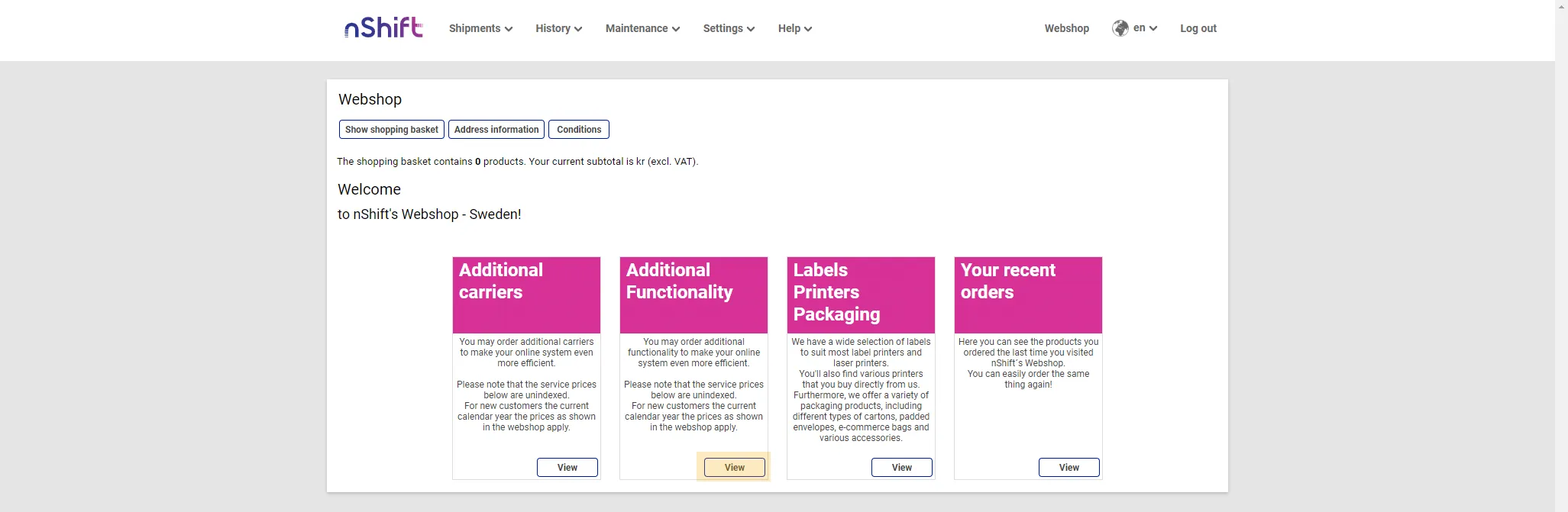
Log in to the nShift portal with your nShift account. Click Webshop.

Click Additional functions in the webshop.
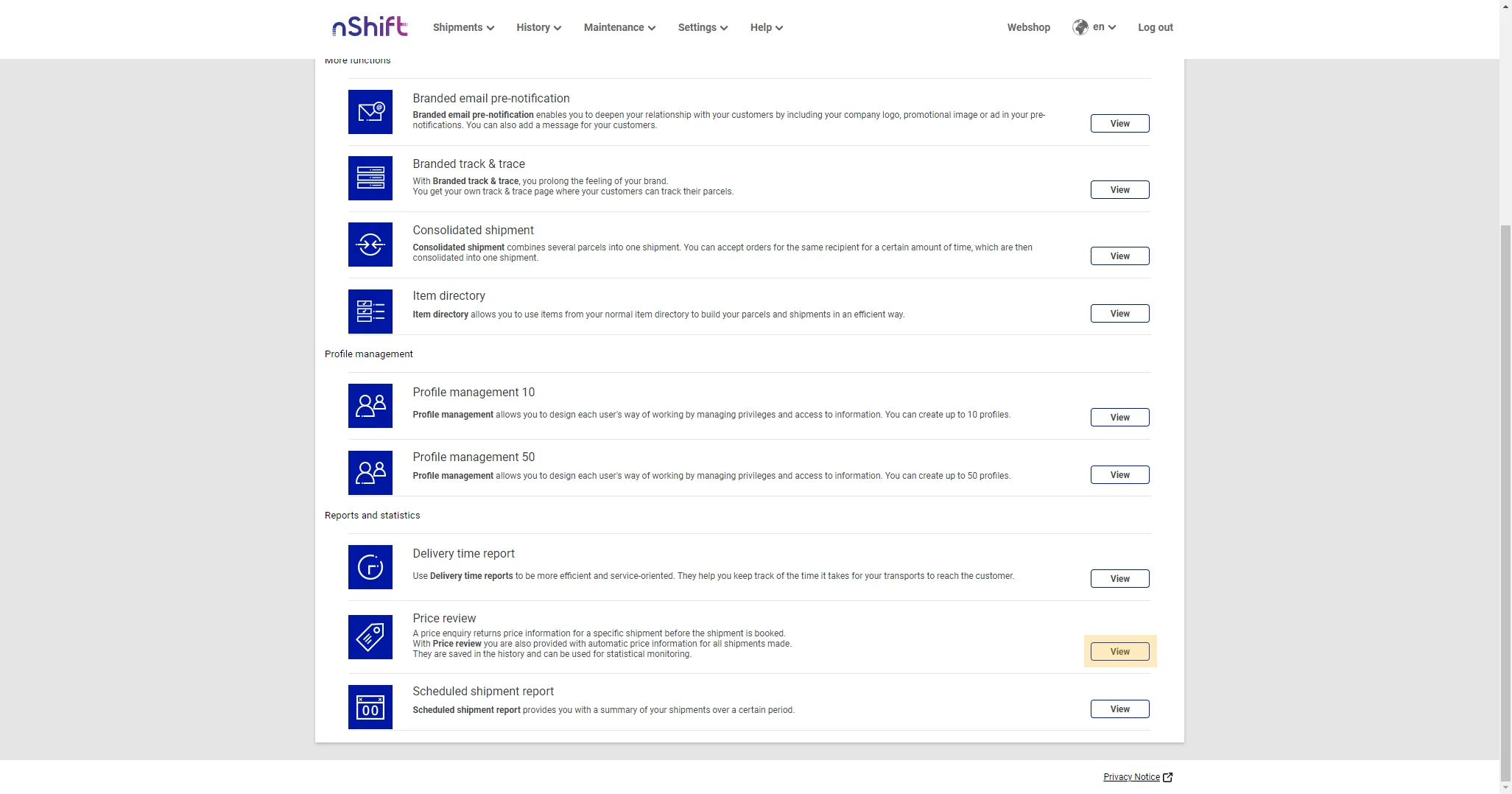
Find Price Review in the list and press Show.
Click "To the application" on the page to see more information about the function and to order it.
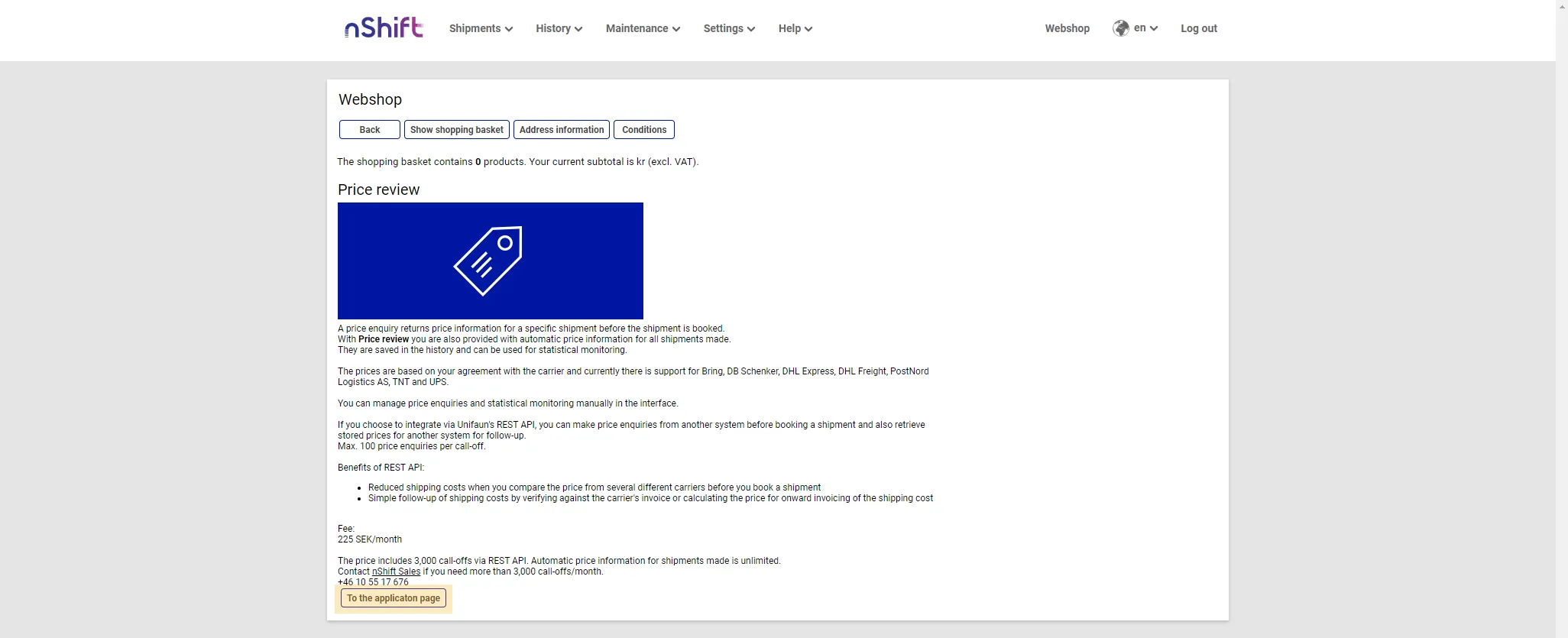
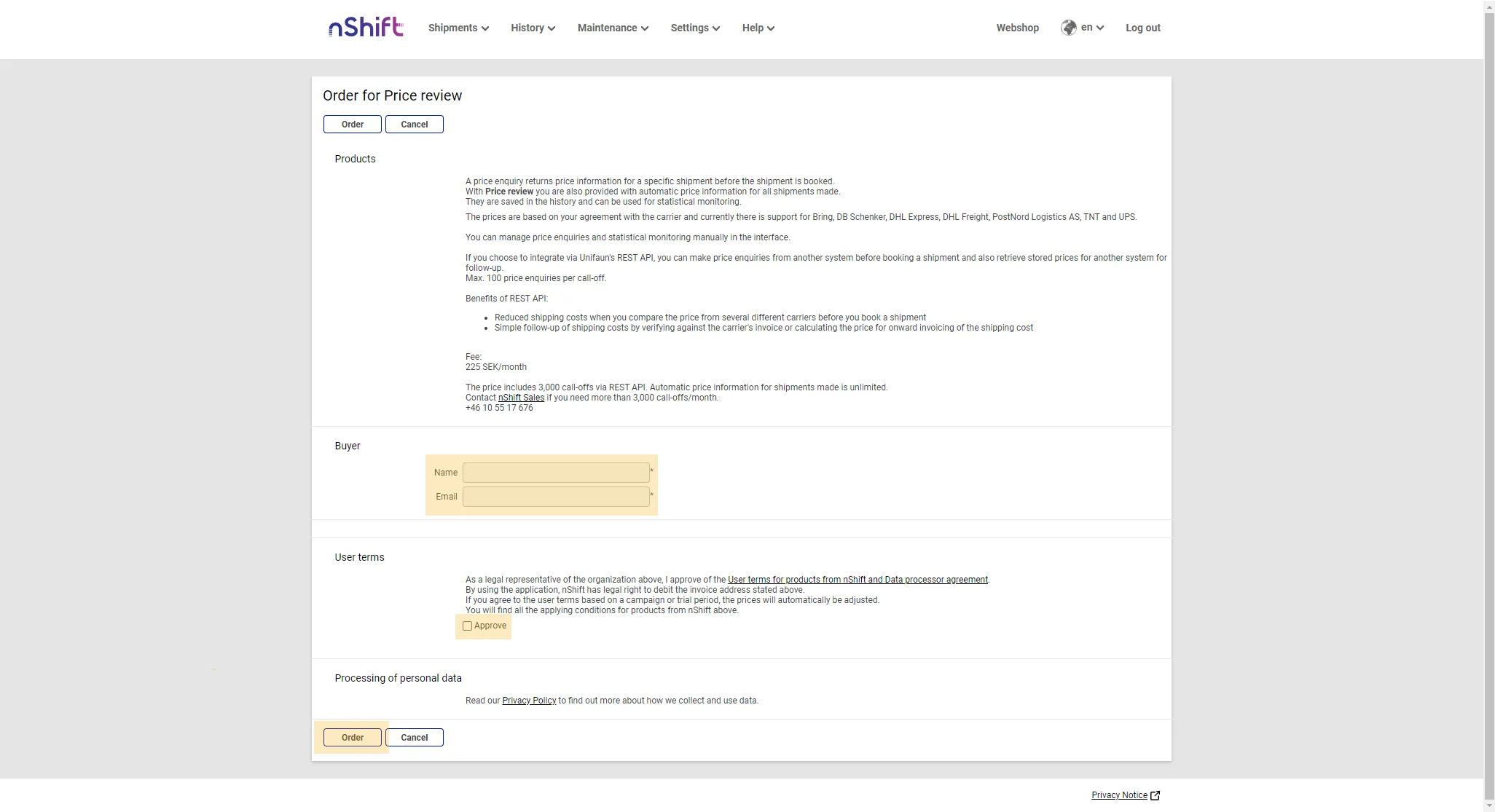
On the Price Review page, read through the information about the function and the pricing. To order the function, fill in the requested details and press Order.
Press Checkout to complete the purchase.

Check that your details are correct in the checkout and press Next. Confirm the order in the last step of the checkout.
The Price Review function will now be added to your nShift account, and you can start using the Freight Price module in Shipping Central.