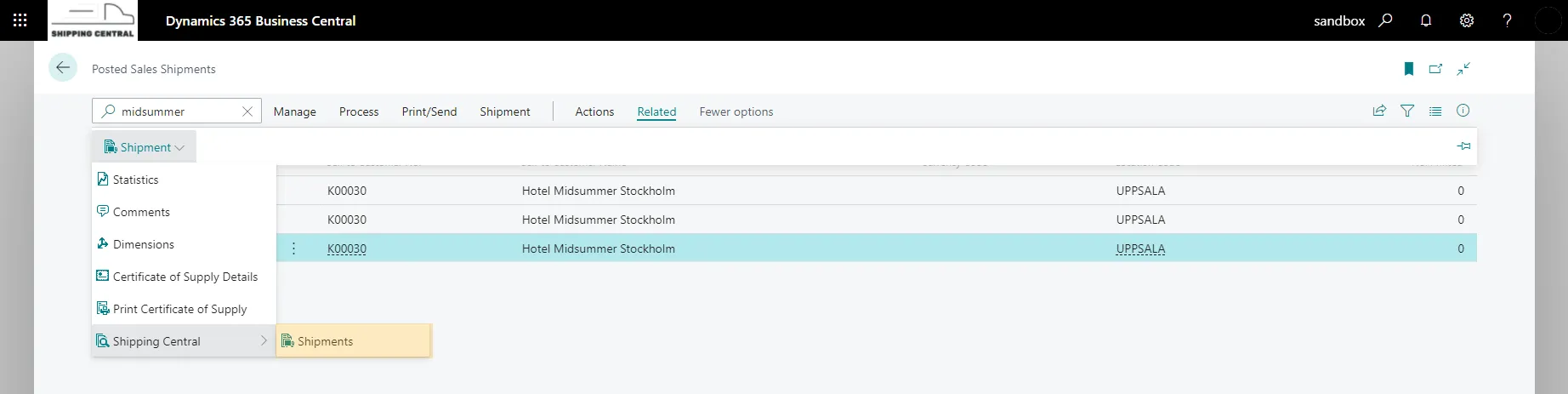
Combined shipment from Posted Sales Shipment
In a scenario where orders to a customer are processed during a period of time before shipping, combining posted sales shipments into a Shipping Central shipment is a good solution.
An example of when it can be used is when orders to a customer arrive and are picked during a week and placed on a pallet until they are shipped.
To combine posted sales shipments into one shipment, start from the Posted Sales Shipments list. Find the posted sales shipments for the customer that are to be combined into one shipment and select the lines.
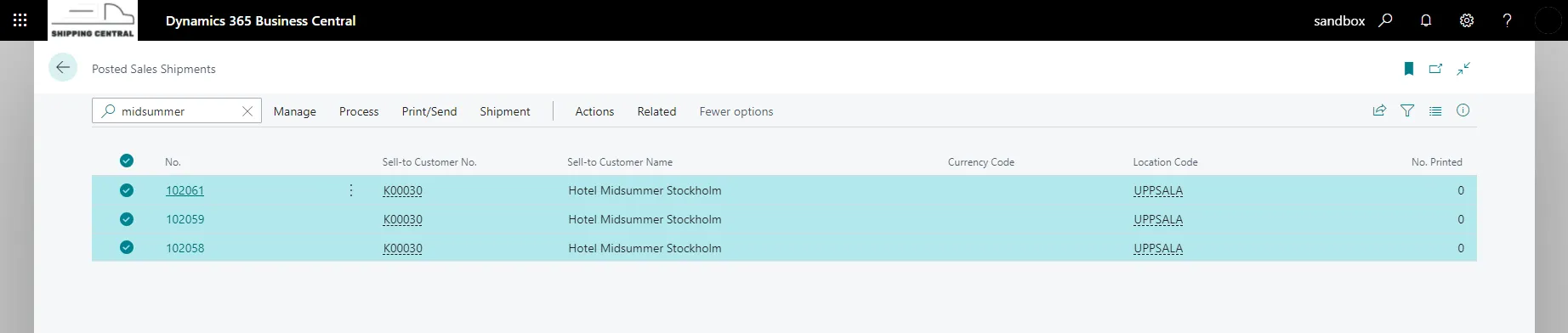
To create a shipment in Shipping Central from the selected posted sales shipments, choose Create Shipment under Actions / Functions / Shipping Central.
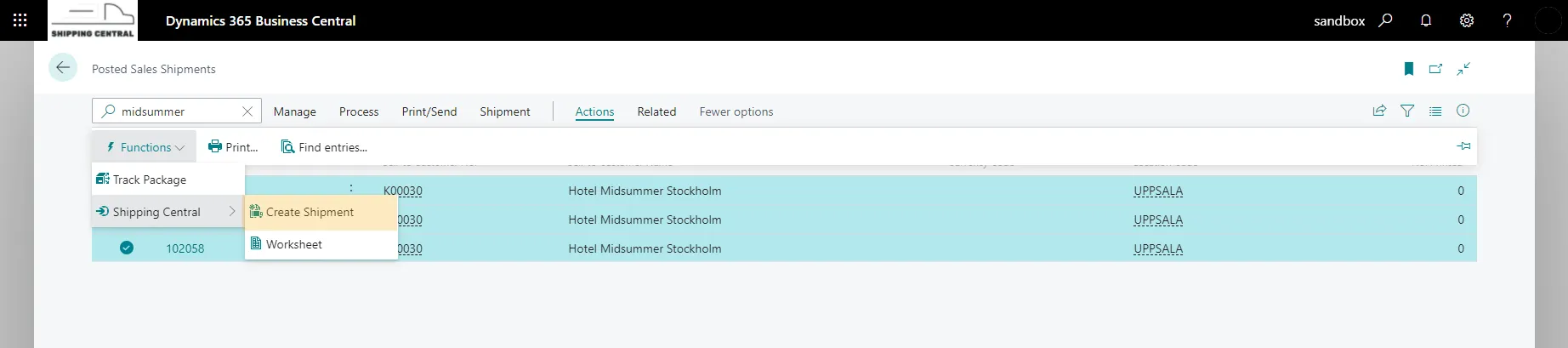
A shipment is now created from the posted sales shipments and is handled as usual.
To see the sales documents (or other documents) included in a shipment, choose Orders under Related on the shipment.

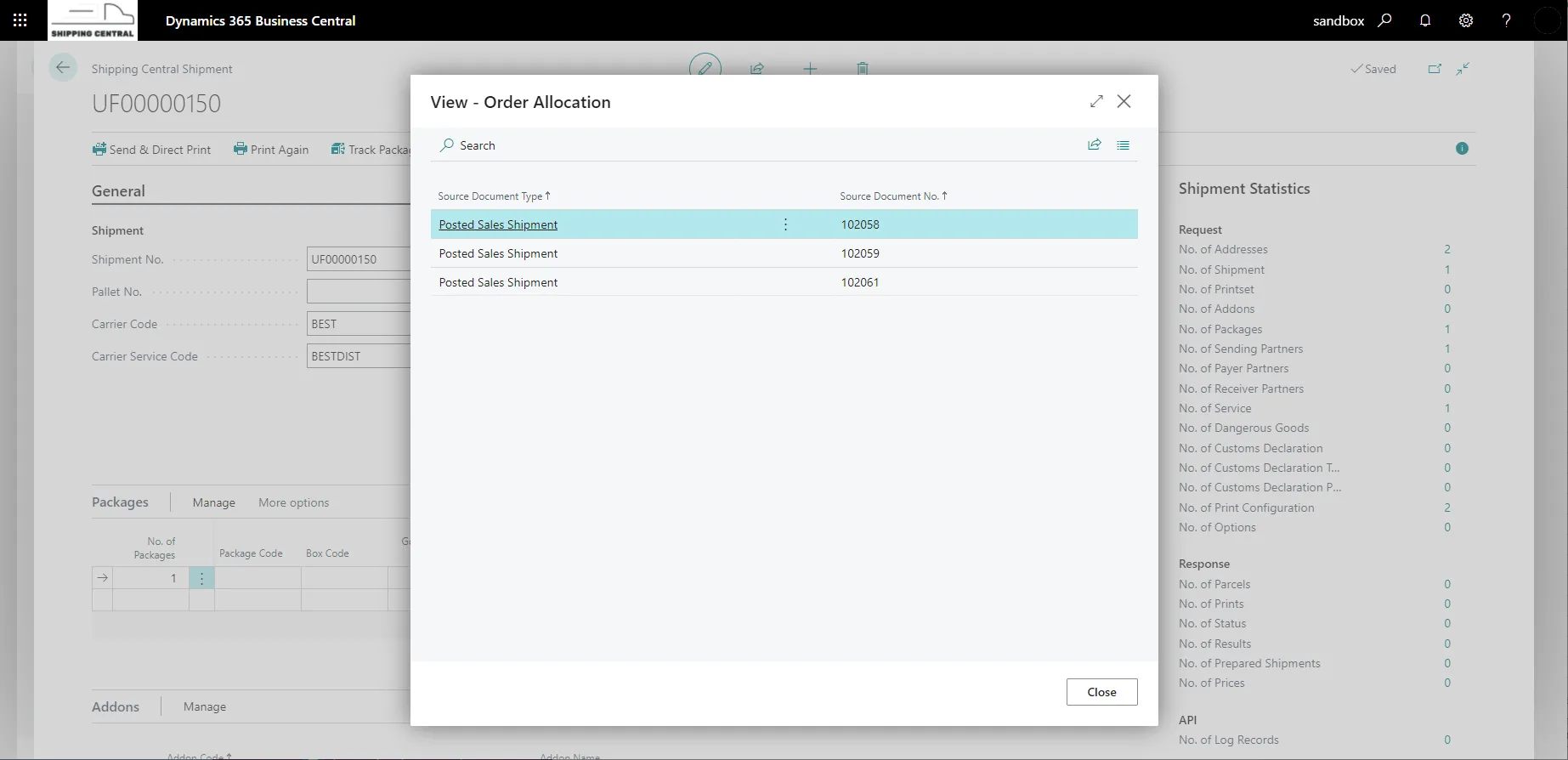
From a posted sales shipment you can see the shipment it is sent with by choosing Shipment.